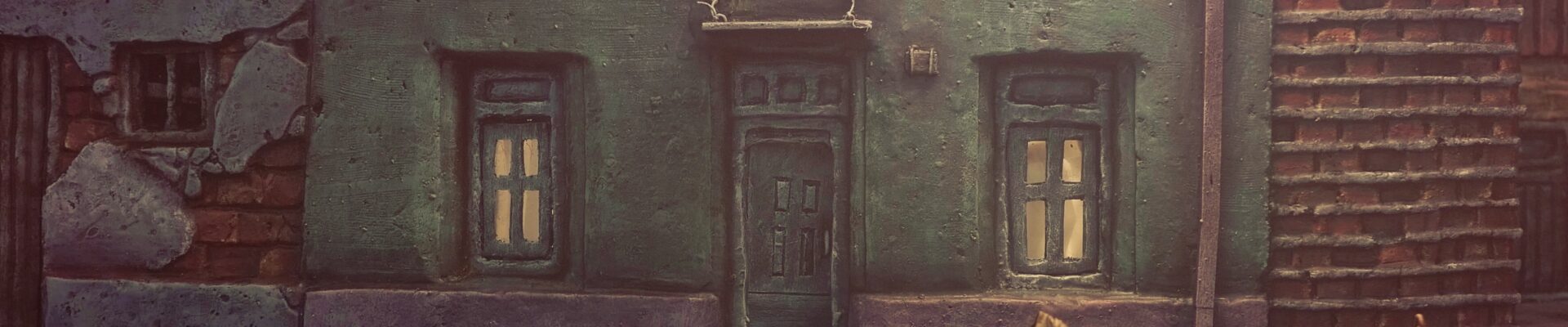
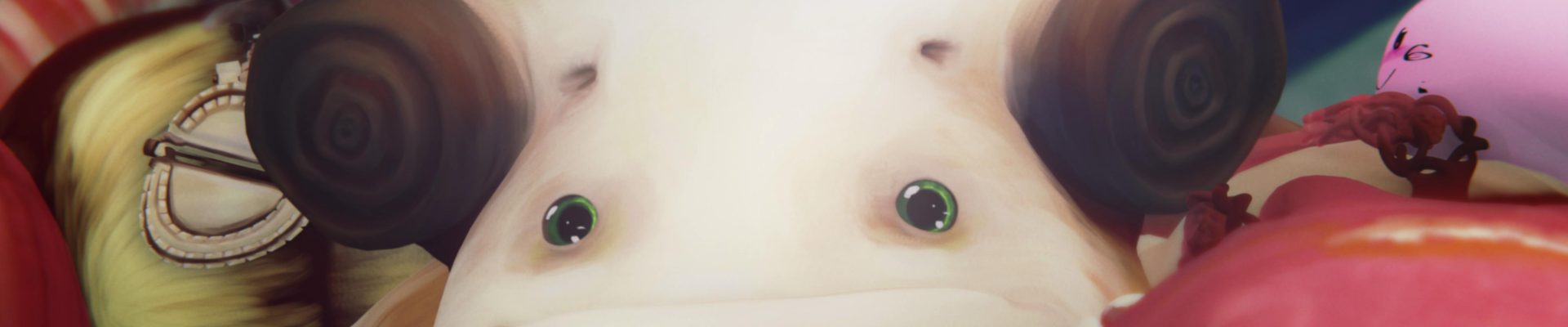
Elulu (OMMP) current status

This is the current progress of my first movie

In 3D:

  1. 8 x 3D Characters modeled, textured and rigged
  2. 4 x 3D props, modeled rigged and textured
  3. 2 x 3D chartacters modeled and rigged

*** I still have to model, texture and rigg more characters

Backgrounds:

  1. 26.154 x photo files, complete backgrounds of 64 scenes (real locations)
  2. Almost 9 scenes have a color graded background

*** There are 8 more scenes that i still have to make the background, but those scenes will be made in 3D

Music:

  1. 92 minutes of original music made with original recorded samples
  2. I still have to mix 2 more themes (4 more minutes)
  3. To make the music i made a total of 41 hydrogen drumkits from wich 8 have been released under creative commons and are freely available to download and use.

*** I would probably make 1 to 3 more themes.

Story:

  1. 127 pages of storysketch, with an average of 12 to 15 drawings per page
  2. After the storysketch i wrote the script (just to understand better the story)

I´m currently working on the color grade of the backgrounds, then i will make my first cut with the graded backgrounds and music, later i will make the 3d characters that are still missing, after i will animate, and the final stage will be the recording and mixing of the sound FX.


Storyboard camera movements

Even though there is no standard on how to draw the camera movements on a storyboard, this is a comprehensive guide of what i have seen used, and of what i use to draw the camera movements on a storyboard, above all, the most important thing is to be clear, that´s why if you don´t remember how to draw an specific camera movement, just write down what the camera does below the drawing, here is the guide:

Panning to the left


Panning to the right


Tilt up


Tilt down


Dolly / Travelling in


Dolly / Travelling back


Dolly / travelling left


Dolly / travelling right


Crane down


Crane up


Zoom in


Zoom back


More complex camera movements can be drawn in the following way:

is a floor plan of the scene that indicates what the camera does, in this example is a travelling around a dancing character.

  1. the arrows indicates in which direction the camera travels, and where to stop
  2. the round line indicates the path of the camera (the line can be changed to any desired shape, indicating different camera movements)
  3. the triangle indicates where the camera is shooting
  4. the beautifully drawn character indicates where the actor is
  5. there can be other elements of the scene as needed, such as a couch, a tree, a dog, another character etc..

if it is a too complex movement it can be drawn using an entire frame of a storyboard (as the example above), or if is clear enough, you can draw it below the frame, as this:


Here is a link to storyboard blank templates.

Greetings!


Storyboard and Animatic templates

The next step of the Storysketch, even do it is not a pre-requisit, it´s the Storyboard, the idea of the Storyboard is to have a deeper aesthetic development, that´s why the template for Storyboard has a bigger frame size than the Storysketch template, now, the next step of the Storyboard is the Animatic, the animatic is a storyboard but played on a timeline, now, if you are making an animated film you will find the animatic template useful (for live-action is not that handy), the idea behind the animatic blank template, is to be able to draw outside the frame if you need to (because maybe a camera movement needs to or you are drawing in more detail, or you are drawing layers), the animatic template is also useful to develop the layout (animation layers, for example drraw the background and the subject on diferent frames of the template).

All of these temples of course are only useful for hand drawn frames, if you have a digital pen, you only have to make sure to set the canvas aspect ratio according to the film aspect ratio and be sure to use an image software that can manage layers, such as the Gimp.

This is an example of the differences of a Storysketch, a Storyboard, and an Animatic, and later the final animated animatic layers:

The Storyboard templates are on the same format as in the previous Storysketch post (double click before saving the file to get the full resolution):

And finally the Animatic blank templates:


OMMP current status

A movie made only with opensource software and only by one man, that´s the aim of the OMMP, and if everything goes according to the plan, it will be released on late 2013, as of right now, i´m on schedule (:

The OMMP started on January 2012, and this is what i have accomplish so far:


60 minutes of music, made with personal recorded samples at 96khz 24bit, on this picture i´m on Ubuntu (Operative system) using Hydrogen (Sampler), QjackCtl (to route the output from the sampler to the input of the mixer), and Ardour (as the mixer of the samples), the lovely kittie is called “Masita” :3

As of today, i have drawn 774 shots, the first storysketch book is full with 654 shots, i´m currently drawing in the second one (the lighter one of the frame), in my personal way of storytelling, 20 frames = 1 minute; 200 frames = 10 minutes and so on, so my goal for the OMMP is 1400-1500 frames, wich means 70-75 minutes.


Here is my animatic, done on Cinelerra CV, at the moment i have reachd 31 minutes in images, and i have premixed the music for the first 7 minutes with my original score.


Here i am using Blender (3D software) making a character for the movie, this pic is from late may, the design has improved a lot and as of today the rigging (animation control) is almost ready for this, my first character.

So, there is a lot of hard work still to do, but, everything is moving forward, and according to the plan (:


Two more Storysketch templates

Here you will find two blank templates to be filled in, they have different aspect ratios, and as the idea of making a storysketch before making a film is to see how the story will be told, how the story will be framed, the format in wich the film will be shown must be same in wich the storysketch is drawn.

The first template has the must common anamorphic proportions, from the outer frame to the inner frame, the proportions are: 3,55:1 (on HDTV scale is 1920X540 pixels). then it comes the wider Cinemascope in 2,66:1 (on HDTV scale is 1920X720 pixels), and then the less wider Cinemascope on 2.35:1 (on HDTV scale is 1920×820):

The second template is in the Four thirds standard format (the format of the oldie SDTV, NTSC-PAL )

Both templates are in letter size.
To know how to use these templates please refer to this article: The Storysketch


The Storysketch

The Storysketch is used as a comic to tell the story of a movie, every frame is going to be a different shot, it is the early stage of a storyboard (A more artistically elaborated storysketch) , the idea of the storysketch is being able to fill it in quickly, without too much hazzle about making the draws cute, does why the thumbnails are small.
It must have info about the framing, the perspective (optional), the light (optional), and the camera movements, if you want to be even faster at the drawing stage you can use names, instead of drawing all the grass of a shot, just write, grass and draw a few….

…On a personal note, as part of the OMMP i have noticed that making 20 frames of storysketch is better than making 10 or 5, because i get focus more on the storytelling and i actually lost myself in the story, while if i set my daily goal to be 10 i´m more concerned about reaching the number, and start doing a less passive activity…

Here is a guide of how to use this particular storysketch:

A quick guide of some camera movements and linked frames:

And here is the blank storysketch (letter size) to be printed or photocopied (double click on the image before saving it):

*The inner frame aspect ratio is 16:9 (wide HD television (1920*1080 pixels)) and the outer frame is 4k (Digital cinema format (4096×2160 pixels)).

To have two more Storysketch templates, please visit this post: Two more Storysketch blank templates